

Yes, there are project management tools without monthly fees, and they come in two honest forms. One is open-source software that you host and maintain yourself. The other is one-time-purchase software that you buy once and run on your own server. "Free" plans from subscription vendors don't count, because they cap users, projects, or features until you upgrade. The question that matters is whether your bill goes up every time you add a person.
TL;DR:
- Project management tools without monthly fees exist in two forms: open-source self-hosted tools and one-time-purchase licenses.
- Free tiers from subscription vendors are a sales funnel. Their limits on users, storage, and features are set to push you into paying.
- Per-seat pricing hurts small trades teams most, because subcontractors and occasional users each cost a full seat.
- Self-hosting moves the cost from a monthly bill to your own time: patching, backups, and someone who owns the server.
- For most small businesses without an in-house developer, a one-time purchase is the better pick, as long as the license allows unlimited users and your data exports cleanly.
Table of Contents
- Is There a Project Management Tool Without Monthly Fees? Three Places People Look
- Why "Free Forever" Plans Don't Solve the Problem, and Were Never Meant To
- The Real Three-Year Math, Seat by Seat
- What Self-Hosting Actually Asks of You, Honestly
- Open Source or One-Time Purchase: Which One We'd Pick
- Five Questions to Ask Before You Pay Once
- Add Your Whole Crew for $399, Once
- Frequently Asked Questions
- Sources
Is There a Project Management Tool Without Monthly Fees? Three Places People Look
When people search for this, they usually end up in one of three places. Only two of them actually get rid of the monthly bill.
- Free tiers of subscription tools. These charge no monthly fee until you hit a limit on users, boards, automations, storage, or history. Then you're paying per seat like everyone else. This is a trial with a longer runway, not an escape from subscriptions.
- Open-source, self-hosted tools. The software costs nothing to license. You run it on your own server or a rented cloud machine. You pay in hosting costs and in someone's time.
- One-time-purchase software. You pay once for a license and host it yourself. Some vendors also sell optional paid update or support plans. Check whether those plans are optional or quietly required.
The distinction that matters is not monthly versus yearly billing. It's whether your cost scales with headcount. Paying a subscription annually doesn't change anything if adding your sixth site lead still adds another line to the invoice. For a fuller rundown of tools priced this way, see our breakdown of project management software with no per-user fee.
Why "Free Forever" Plans Don't Solve the Problem, and Were Never Meant To
A free plan is a marketing expense for the vendor. Its limits are tuned so a growing team runs into them at the exact moment it depends on the tool. That's not a conspiracy. It's how freemium pricing works, and it's worth seeing clearly before you move three years of job history onto one.
The limits that usually catch small businesses are predictable:
- User caps. A free plan that allows a handful of members works for an office of three. It stops working the day you invite your plumber, your electrician, and the client's site manager.
- Automation and integration limits. Email intake, recurring jobs, and dependency rules are often the first things moved to paid tiers. They're also the features that save real hours.
- History and storage. Some free plans limit how far back activity goes or how much you can attach. On a renovation job, the photo from week two is often the one you need in week twenty.
- Admin controls. Permissions, guest access, and exports often sit behind the paywall. That means the free plan is the hardest one to leave.
If you're on a free plan and happy, stay there. Just know where the ceiling is before you build your workflow right up against it.
The Real Three-Year Math, Seat by Seat

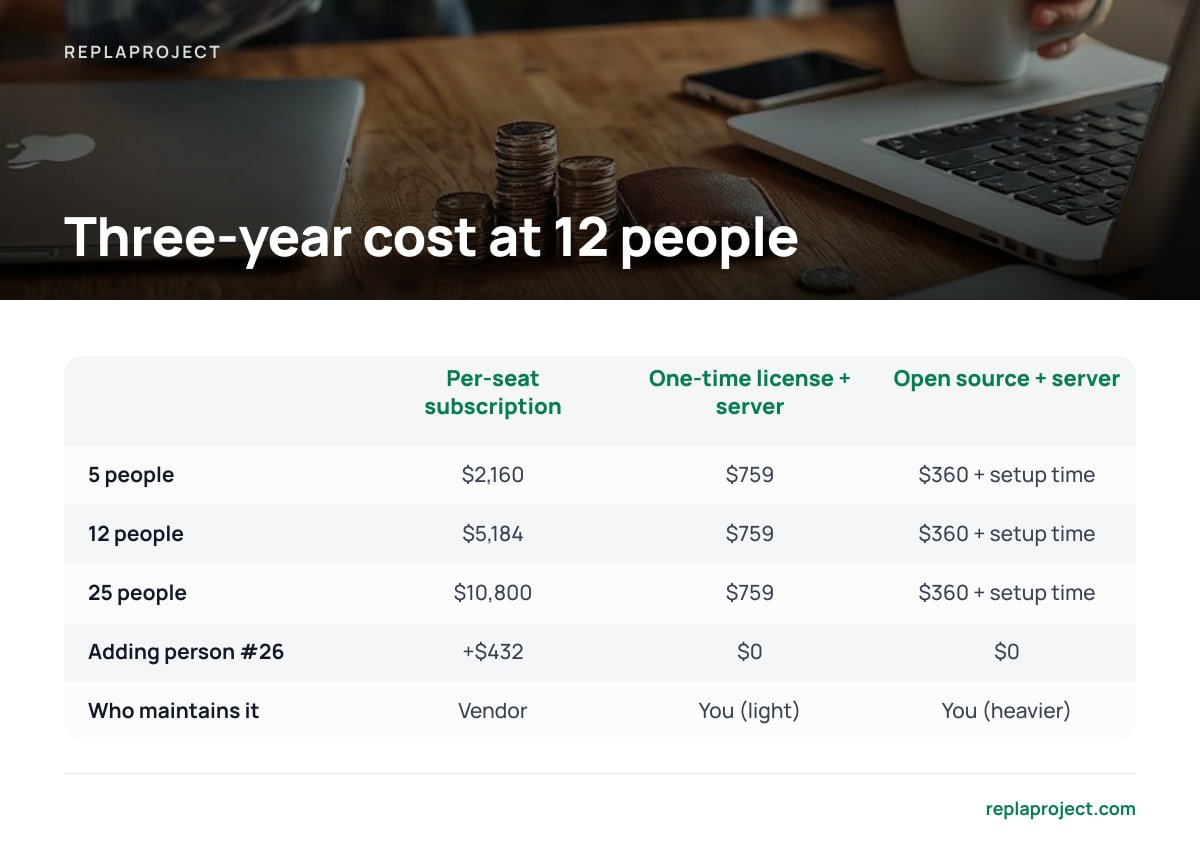
Per-seat pricing looks cheap at the per-person level and expensive at the business level. The table below uses illustrative round numbers, not any particular vendor's price list. Plug in your own.
| Scenario (3 years) | Per-seat subscription at $12/user/month | One-time license ($399) + small cloud server (~$10/month) | Open source + small cloud server (~$10/month) |
|---|---|---|---|
| 5 people | $2,160 | $759 | $360 + setup time |
| 12 people | $5,184 | $759 | $360 + setup time |
| 25 people (incl. subcontractors) | $10,800 | $759 | $360 + setup time |
| Cost of adding person #26 | +$432 | $0 | $0 |
| Who maintains it | Vendor | You (light) | You (heavier) |
At 12 people and $12 a seat, you spend $5,184 over three years to keep using software you never own, and the meter keeps running in year four.
The subscription column isn't wrong to exist. You're paying for hosting, updates, and support that you'd otherwise handle yourself. The issue is that the price follows headcount, while the value to a small trades business follows jobs. A subcontractor who logs in twice a month to check a schedule costs the same seat as your full-time office manager.
Pro Tip: Before you compare prices, list everyone who should see the schedule but currently doesn't because a seat costs too much: subcontractors, the part-time bookkeeper, the client contact. Those people are the hidden cost of per-seat pricing. You're paying for them anyway in phone calls and "did you get my text?" Price your options with them included.
There's also a tax angle worth raising with your accountant. In the US, IRS Publication 946 lists off-the-shelf computer software as property that can qualify for the Section 179 deduction. That means a one-time software purchase may be deductible in the year you buy it, rather than spread over several years. Subscription fees are generally handled as ordinary business expenses. The rules depend on your situation and country, so treat this as a question for your accountant, not as advice.
What Self-Hosting Actually Asks of You, Honestly
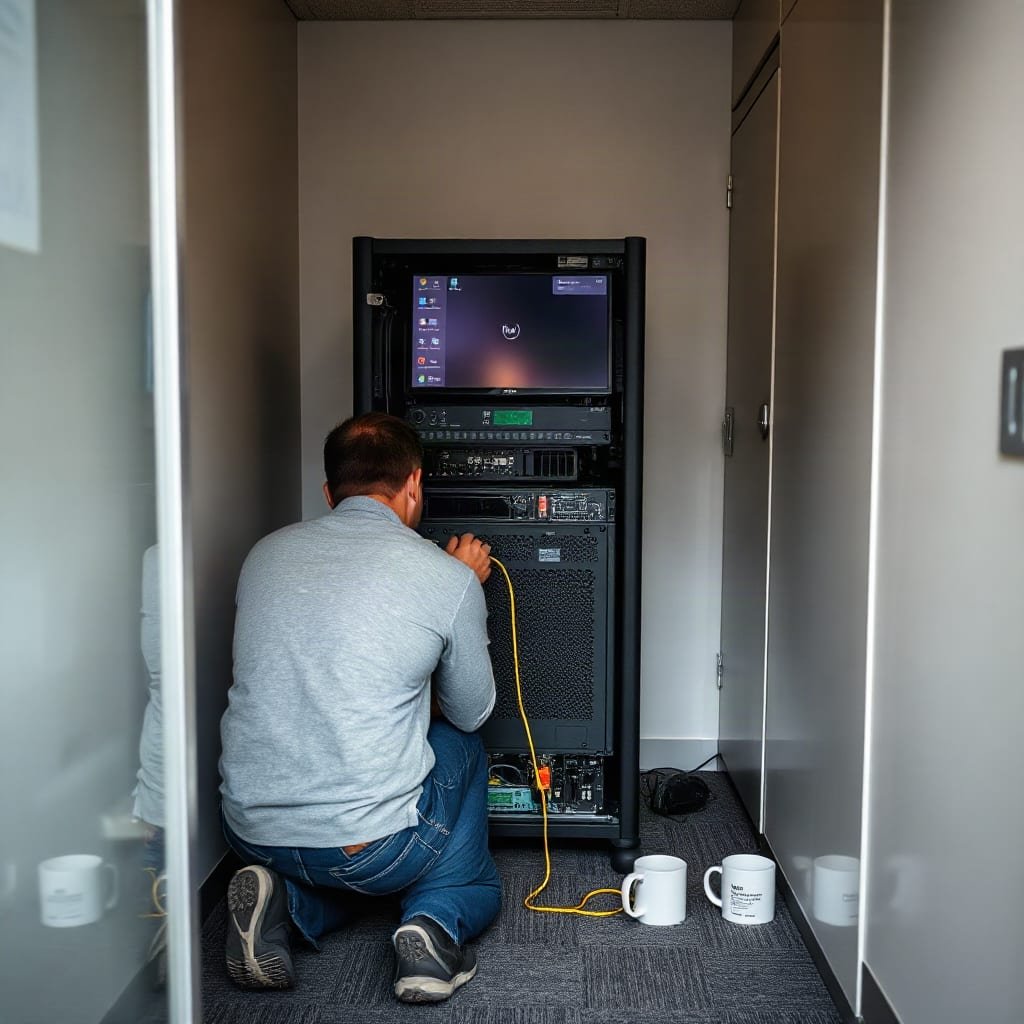
Both no-monthly-fee routes are self-hosted, so the trade-off is the same. You stop paying a vendor to run the software, and you take on running it. For most small teams that work is modest, but it isn't zero. Pretending otherwise is how people end up with a server nobody has touched since 2021.
- A place to run it. This can be a small cloud server, a machine in the office, or a box your IT contractor already manages. A low-cost cloud server is enough for a typical small business workload.
- Updates and patching. The NIST guide to enterprise patch management (SP 800-40 Rev. 4) treats patching as preventive maintenance, a routine you schedule rather than an emergency you react to. Apply that mindset to your project tool and its server.
- Watching for known problems. The US Cybersecurity and Infrastructure Security Agency publishes a Known Exploited Vulnerabilities catalog listing flaws attackers are actively using. If your server's operating system or web stack appears there, patch first and do everything else after.
- Backups you've tested. A backup you've never restored is a hope, not a backup. Run a test restore once a quarter.
- One named owner. Someone on the team, or your IT contractor, has to be the person who gets the update email. "Everyone" means no one.
Self-hosting doesn't remove the work subscriptions do for you. It turns a monthly invoice into a quarterly checklist.
For most small offices, that checklist takes an hour or two a quarter. That's a fair price for never getting a per-seat invoice again. If nobody on your team will own it, though, be honest with yourself before you buy.
Open Source or One-Time Purchase: Which One We'd Pick
Both get rid of the monthly fee, but they suit different businesses.
Open source: free license, more assembly required
Open-source software is defined by its license. The Open Source Initiative's definition requires free redistribution and access to source code, among other criteria. That gives you real freedom: no license cost, no vendor who can lock you out, and the option to modify the tool.
The catch is that open-source project tools are often built by developers, for developers. Installation may involve containers, databases, and config files. Features that small trades businesses need, like email intake or a customer request form, may require add-ons or customization. Licenses matter too. Under the GNU Affero General Public License, if you modify the software and let people use it over a network, you have to make your modified source available to them. That's fine for most users, but read the license before you customize. We cover the options in more detail in our guide to self-hosted task management, open source or not.
One-time purchase: pay once, get something finished
A one-time license costs money up front. In exchange, you usually get a product built for a specific type of user, an installer, and a vendor who answers questions. You still own the hosting, but less assembly is involved.
Our pick
If you have a developer on staff, or you enjoy tinkering, open source is a legitimate choice. If you run a trades business or a small office and want the schedule working by Monday, buy a one-time license. The few hundred dollars you spend is cheaper than the week you'd lose configuring something built for a different kind of team. Our explainer on what you actually own with one-time purchase software covers the fine print.
Five Questions to Ask Before You Pay Once
"One-time purchase" is a marketing phrase, and some products use it loosely. Get answers to these before you pay:
- Is the user count genuinely unlimited? Some "lifetime" licenses still cap seats or charge for tiers. Look for "unlimited users" in the license terms, not just on the pricing page.
- What do updates cost after year one? It's reasonable for a vendor to sell optional update plans. It's a problem if the software stops working, or stops getting security fixes, without one.
- Does it need to phone home? If the license checks in with the vendor's server to stay active, the tool depends on that company existing. Ask what happens if they shut down.
- Can you export everything? You should be able to get your jobs, comments, and attachments out in a standard format such as CSV or JSON, without asking anyone's permission.
- Does it fit how work actually arrives? If jobs come in by email and phone, the tool should accept them that way. Otherwise someone will be retyping requests forever. See our guide to software that turns customer requests into jobs.
Pro Tip: Ask the vendor for the actual license agreement before you buy, not the sales page. Search it for "activation," "subscription," "renewal," and "terminate." Those four words will tell you within five minutes whether "pay once" really means once.
Add Your Whole Crew for $399, Once

ReplaProject is a self-hosted project management tool you buy once for $399 flat. There's no per-seat fee, so the subcontractor who checks the schedule twice a month costs you nothing to add. You get board, table, and calendar views of every job across every project. Forward a customer email and it becomes a job. A public intake form handles requests from people who'd never log in to anything. It also detects dependencies automatically, so you can see which job is holding up the next three. An optional AI assistant suggests jobs, but nothing is added until a person approves it.
The honest caveat: self-hosted means you, or your IT contractor, run it. Everything in the checklist above applies to us too: a server, updates, and backups you've actually tested. Read our spec sheet and confirm it fits your setup before you buy.
Frequently Asked Questions
Is there a project management tool without monthly fees?
Yes. Open-source tools you host yourself and one-time-purchase tools both avoid monthly subscription fees. Free tiers of subscription tools don't really count, because they cap users or features until you upgrade.
Are free project management plans really free?
They cost nothing up to a limit, usually on users, automations, storage, or history. Those limits are designed so a growing team eventually needs a paid tier. A free plan works for very small teams, but check the ceilings before you depend on it.
What are the hidden costs of self-hosted project management software?
You'll pay for a server, often a low-cost cloud machine, and someone has to apply updates, monitor security, and test backups. For a small team this usually takes an hour or two a quarter. It needs one named owner, though, or it won't get done.
Is open source or a one-time purchase better for a small business?
Open source suits teams with a developer or someone comfortable with servers and configuration. One-time-purchase software usually suits trades businesses and small offices better, because it arrives finished and comes with vendor support. Both get rid of per-seat billing.
What should I check before buying "lifetime" project management software?
Confirm the license allows unlimited users and find out what updates cost after the first year. Check whether the software needs to contact the vendor's servers to keep working. Make sure you can export all your data in a standard format like CSV or JSON.
Sources
- Publication 946: How To Depreciate Property | Internal Revenue Service
- SP 800-40 Rev. 4: Guide to Enterprise Patch Management Planning | National Institute of Standards and Technology
- Known Exploited Vulnerabilities Catalog | Cybersecurity and Infrastructure Security Agency
- The Open Source Definition | Open Source Initiative
- GNU Affero General Public License v3.0 | Free Software Foundation