

One-time purchase software is software you pay for once and keep using indefinitely, instead of paying a monthly fee for every user. What matters most is what you are actually buying. Usually it is a license to a specific version, not every future update. Only self-hosted or locally installed copies keep running if the vendor disappears. For small teams paying per seat, that difference decides whether "pay once" is a bargain or a trap.
TL;DR:
- A one-time purchase usually buys a perpetual license to a version. Future updates may not be included, so check before you pay.
- A hosted "lifetime deal" is not the same thing. If the vendor shuts down, your access shuts down with it.
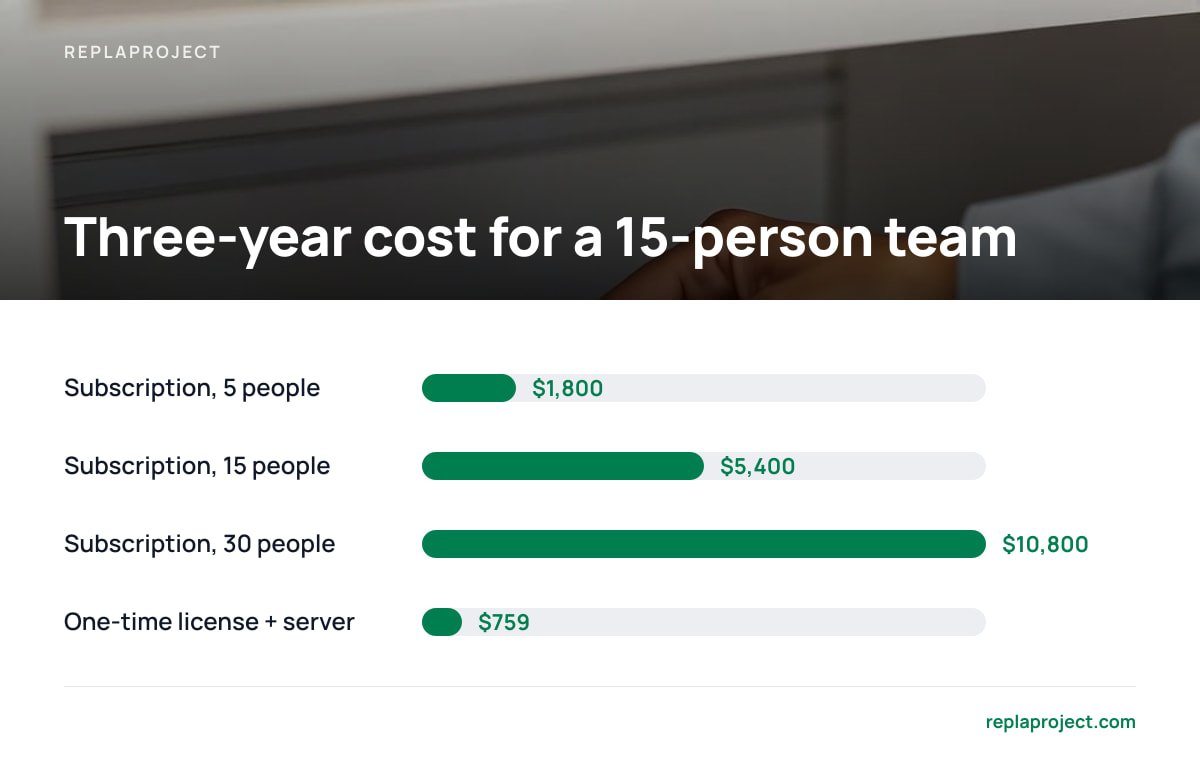
- For a 15-person team at $10 per seat, a subscription costs about $5,400 over three years. A $399 self-hosted license plus a small server costs about $759.
- Owning software means you also own patching, backups, and HTTPS. That work is small but not zero.
- Pick one-time purchase when your headcount grows and your needs are stable. Pick a subscription when you have no one willing to look after a server.
Table of Contents
- One-Time Purchase Software vs. Subscriptions: What You Actually Own
- Three Kinds of "Pay Once," and Only One Outlives the Vendor
- The Per-Seat Math Over Three Years
- The Hidden Costs of Owning: Updates, Backups, and HTTPS
- Who Holds Your Data, and Why GDPR Cares
- When a Subscription Is Still the Better Call
- How to Vet a One-Time Purchase Before You Pay
- Pay Once and Add Your Whole Crew Without a New Invoice
- Frequently Asked Questions
- Sources
One-Time Purchase Software vs. Subscriptions: What You Actually Own
With a subscription, you rent access. Stop paying and you lose the tool, usually within days. The price is tied to headcount, so every new hire, apprentice, or subcontractor you invite adds to the monthly bill.
With one-time purchase software, you buy a perpetual license. You pay once and get the right to use that software for as long as you like. The fine print almost always ties that right to a version. Version 2 is yours forever. Version 3 may cost extra, or it may come free for a year under a maintenance window.
| Per-seat subscription | Hosted "lifetime deal" | Self-hosted one-time purchase | |
|---|---|---|---|
| How you pay | Monthly or yearly, per user | Once | Once |
| Adding people | Raises the bill | Often capped by tier | Usually unlimited |
| If the vendor folds | Access ends | Access ends | Software keeps running |
| Who holds your data | Vendor | Vendor | You |
| Who handles updates and backups | Vendor | Vendor | You |
The last two rows are the real trade. You give up recurring fees and dependence on the vendor. In return, you take on a small amount of ongoing responsibility.
Three Kinds of "Pay Once," and Only One Outlives the Vendor
"One-time purchase" is a pricing label, not a technical description. Three very different products hide behind it.
Self-hosted perpetual license
You install the software on a server you control. That can be a small cloud machine, an office box, or a spare PC in the back room. The license is yours and so is the installation. If the company that sold it disappears tomorrow, your copy keeps working because nothing about it depends on their servers. This is the only kind of one-time purchase that fully delivers on the word "own." For a wider look at this category, see our guide to self-hosted task management, open source or not.
Hosted "lifetime deal"
You pay once, but the software still runs on the vendor's servers. These deals often appear when a young company needs cash quickly. Your access depends on that company staying solvent and staying generous. Lifetime deals sometimes get quietly cut back once the vendor needs recurring revenue to survive.
A hosted "lifetime deal" lasts the lifetime of the company, not yours.
Locally installed desktop license
This is the classic boxed-software model, still common for design, accounting, and engineering tools. It works on one machine or a few, which is fine for solo work. It is useless for a crew that needs a shared board of jobs from the office, the van, and the site.
For a team tool, only the first option makes sense. If you are going to pay once, pay once for something you actually control.
The Per-Seat Math Over Three Years
Per-seat pricing feels cheap at five people and painful at twenty. The table below uses round, deliberately neutral assumptions:
- Subscription: $10 per user per month, which sits in the middle of typical project-tool pricing.
- One-time license: $399 flat.
- Server: a small virtual server at $10 a month.
Your actual numbers will differ, so plug in your own.
| Team size | Subscription, 3 years | One-time license + server, 3 years | Difference |
|---|---|---|---|
| 5 people | $1,800 | $759 | $1,041 saved |
| 15 people | $5,400 | $759 | $4,641 saved |
| 30 people | $10,800 | $759 | $10,041 saved |
At 15 people and $10 a seat, a subscription costs $5,400 over three years. A $399 license plus a $10-a-month server costs $759.
The subscription column grows with every person you add. The one-time column barely moves. For trades businesses that bring in subcontractors seasonally, that is the whole argument. You stop deciding whether a helper is "worth a seat" and simply give them access.
The one-time column leaves out your time, and that time is real. The next section covers it.
Pro Tip: Before you compare prices, export last year's invoices from your current tool and count the peak number of seats, not the average. Per-seat plans usually bill on the highest headcount in a period. Seasonal hiring can push your real cost well above what the pricing page suggests. That peak number is what a flat license replaces.
The Hidden Costs of Owning: Updates, Backups, and HTTPS
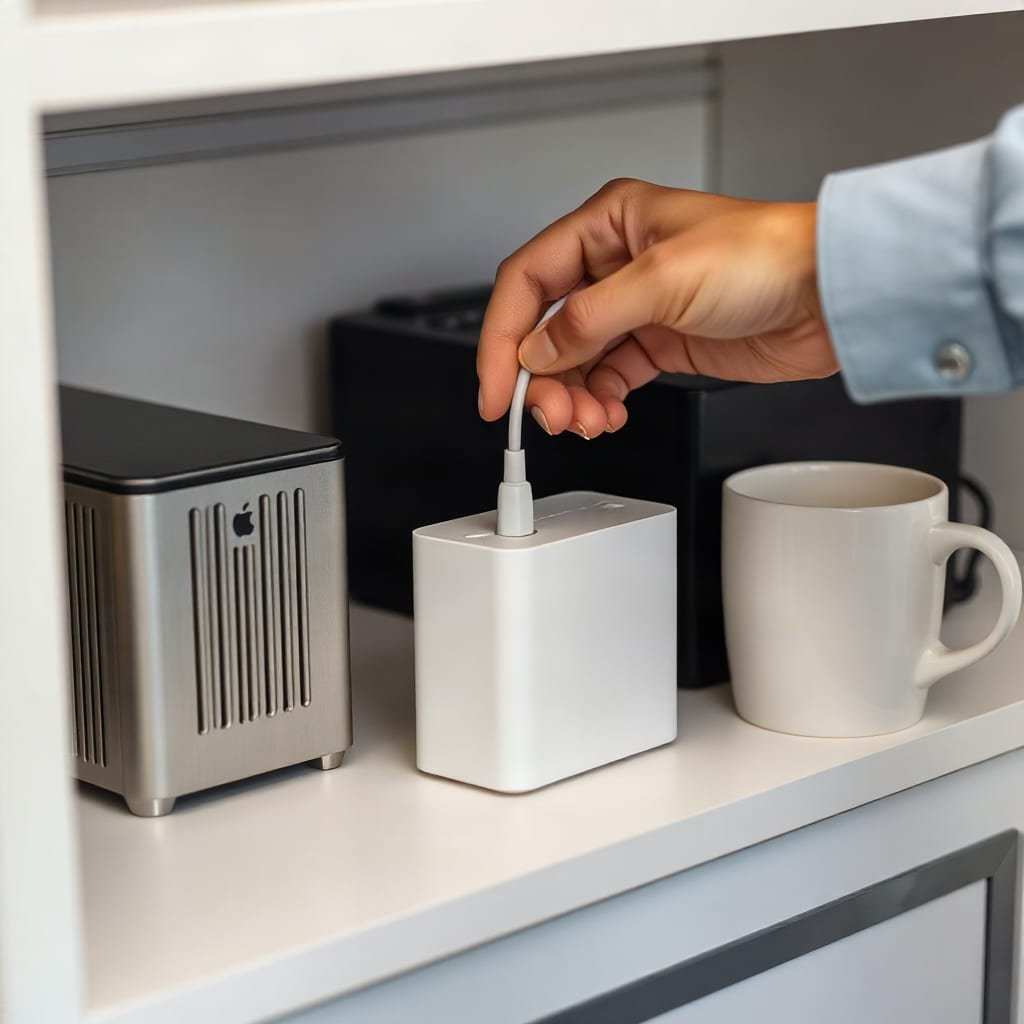
Owning software means owning its upkeep. None of it is hard, but if nobody does it, things eventually break.
- Security updates. Unpatched software is the most common way small servers get compromised. NIST Special Publication 800-40 Rev. 4, the US standards body's guide to patch management, frames patching as routine upkeep rather than an emergency task. Budget fifteen minutes a month to apply updates to both the operating system and the application.
- Backups. If the server dies, your job history goes with it unless you kept a copy elsewhere. The UK National Cyber Security Centre's Small Business Guide recommends identifying your essential data, keeping backups separate from the systems they protect, and making backups part of everyday business. A nightly automatic copy to a different provider covers most small teams.
- HTTPS. Your team will log in from phones on public networks, so the connection must be encrypted. Let's Encrypt, a nonprofit certificate authority, issues free TLS certificates designed to be renewed automatically. The certificate itself costs nothing.
- Version upgrades. Check whether major versions are included in your purchase or sold separately. Neither is a scam, but you should know which one you are buying.
If that list makes you want to lie down, you have two choices. You can pay a local IT contractor for an hour a month, which still comes in under most per-seat bills. Or you can stay on a subscription, which is a legitimate choice covered below. Our breakdown of open source, self-hosted project management costs runs the full numbers, including labor.
Who Holds Your Data, and Why GDPR Cares
On a vendor-hosted tool, your customer names, addresses, phone numbers, and job notes sit on someone else's servers. If you handle data about people in the EU, the General Data Protection Regulation treats that vendor as a processor acting on your behalf. Article 28 requires a contract between you and that processor setting out how the data is handled.
Self-hosting changes the picture without eliminating it. Run the software on your own hardware and the project tool vendor never touches your data. Run it on a rented cloud server and the hosting provider may still count as a processor, so you still need their data processing terms. Either way, the chain of parties holding your customers' details gets shorter. You also decide exactly where the data lives and when it is deleted.
For many small businesses outside the EU, this is less about regulation and more about leverage. Your job history is yours. You can export it, back it up, and move it without asking anyone's permission.
When a Subscription Is Still the Better Call
One-time purchase software is not always the right answer. Choose a subscription when:
- Nobody will own the server. If no one on your team, and no contractor you pay, will apply updates and check backups, a hosted subscription is safer. An unpatched self-hosted server is worse than a monthly bill.
- Your team is tiny and stable. Two or three people at a few dollars each may never reach the break-even point. The savings are real, but small.
- You need deep integrations you cannot replace. Some hosted tools connect to dozens of other services out of the box. If your workflow depends on them, count that value honestly.
For everyone else, especially teams of eight or more, teams that grow and shrink with the season, and teams tired of rationing logins, we would pick a self-hosted one-time purchase. The math in the table above does not leave much room for argument.
How to Vet a One-Time Purchase Before You Pay
Ask these questions before you hand over a card number:
- Is it self-hosted, or a hosted lifetime deal? If it runs on the vendor's servers, treat it as a prepaid subscription with no guarantee of continued service.
- What exactly does the license cover? Look for the number of users, the number of installations, and whether commercial use is allowed.
- Which updates are included, and for how long? Get security fixes and major versions spelled out separately.
- Can you export everything? You should be able to get your jobs, comments, attachments, and history out in an open format such as CSV or JSON.
- Does it do the actual job? A cheap license for the wrong tool is still a waste. Check it against what job tracking software actually needs to do, including how it handles incoming work. Our guide to software that turns customer requests into jobs covers that intake side.
If a vendor gets vague on question two or three, walk away.
Pay Once and Add Your Whole Crew Without a New Invoice

ReplaProject is a self-hosted project management tool sold for $399, once. You can add your office staff, site crews, and subcontractors without the bill changing. Jobs from every project appear in board, table, and calendar views. You can forward an email to turn it into a job, and a public intake form turns customer requests into jobs. Automatic dependency detection shows what is holding each job up. An optional AI assistant suggests jobs, and a person approves each one before it is added.
Here is the honest caveat. Because ReplaProject is self-hosted, you need a server and someone to apply updates and check backups, as described above. If no one will do that, a subscription will serve you better. Read our spec sheet the same way you would read anyone else's. Confirm what the license covers and which updates are included before you buy.
Frequently Asked Questions
What does one-time purchase software mean?
It means you pay once for a license and can use the software indefinitely, instead of paying monthly. The license usually covers a specific version. Future major versions may cost extra depending on the vendor's terms.
Is a lifetime deal the same as one-time purchase software?
Not if the software is hosted by the vendor. A hosted lifetime deal still depends on the company's servers and finances, so your access can end if the company closes or changes its terms. Self-hosted one-time purchases keep running regardless.
Do one-time purchase licenses include updates?
Some include all updates, some include them for a fixed period, and some charge for major versions. Ask the vendor to state separately whether security fixes and major upgrades are covered, and get the answer in writing before you buy.
How much does it cost to run self-hosted software?
A small cloud server for a team tool typically costs a few dollars to a few tens of dollars a month. TLS certificates are free through Let's Encrypt. The main extra cost is the time to apply updates and confirm backups, roughly fifteen minutes to an hour a month.
When is a subscription better than a one-time purchase?
A subscription is better when nobody on your team, or no contractor you pay, will maintain a server. It also makes sense when your team is very small and stable, or when you depend on integrations only a hosted tool provides. An unmaintained self-hosted server is a bigger risk than a monthly bill.
Sources
- Guide to Enterprise Patch Management Planning: Preventive Maintenance for Technology (SP 800-40 Rev. 4) | National Institute of Standards and Technology
- Small Business Guide | UK National Cyber Security Centre
- Let's Encrypt | Internet Security Research Group
- Regulation (EU) 2016/679 (General Data Protection Regulation) | EUR-Lex, Publications Office of the European Union