

Open source, self-hosted project management means running a project tool whose code you can read and modify, on a server you control. Those are two separate promises. Open source describes the license, and self-hosted describes where the software runs. Plenty of tools on GitHub are both, and plenty are only one. The license fee is rarely your biggest cost. The bigger cost is usually your time spent patching, backing up, and upgrading.
TL;DR:
- "Open source" is a license question and "self-hosted" is a deployment question. Check both separately, because many tools marketed as one aren't the other.
- On assumed figures for a small team, a free self-hosted tool only beats a $12-per-seat cloud subscription at around 11 users. That's because admin time is the largest line item.
- Many open source project tools are open-core. The features small businesses actually want, such as SSO, Gantt charts, and time tracking, often sit in a paid edition.
- Running your own instance means a server, a reverse proxy, TLS, updates, and backups you have actually restored at least once.
- Pick a full suite only if you need formal planning. Most small teams and trades crews do better with a simpler board-and-table tool they will really use.
Table of Contents
- Open Source vs. Self-Hosted: Two Promises That Get Blurred Together
- Open Source Project Management, Self-Hosted: The Real Cost Math
- The Four Kinds of Tools You'll Find on GitHub
- Open-Core Licensing: Read the Edition Table Before You Install
- What Running It Yourself Actually Involves: A Realistic Setup Outline
- Which Option We'd Pick, and Why
- Get Flat-Fee, Self-Hosted Project Management Your Crew Will Actually Use
- Frequently Asked Questions
- Sources
Open Source vs. Self-Hosted: Two Promises That Get Blurred Together
Most "best self-hosted project management" lists treat open source and self-hosted as one feature. They aren't, and mixing them up is how teams end up with the wrong tool.
Open source is a license. The Open Source Initiative's Open Source Definition sets out 10 criteria a license must meet. These include free redistribution, access to source code, and permission to create derived works. If a license doesn't meet them, the software isn't open source, however the vendor's homepage describes it.
Self-hosted is a deployment choice. It means the software runs on hardware you control. That could be a box in your office, a rented virtual server, or a cloud account in your name. Your data sits in your database, not in the vendor's.
These two separate easily. Some open source tools are mostly sold as hosted subscriptions. Some self-hosted tools are commercial software with a closed license. If your real goal is to stop paying per seat and keep your data in-house, being self-hosted is what gets you there. Open source is a bonus that matters most if you plan to modify the code or worry about the vendor disappearing.
Open Source Project Management, Self-Hosted: The Real Cost Math

Every competing article stops at "free." Free describes the license. It doesn't describe the bill. Here is a three-year comparison built on stated assumptions. Swap in your own numbers.
Assumptions:
- Cloud subscription at $12 per user per month.
- A rented server at $20 per month.
- 10 hours of initial setup, then 2 hours a month of updates, backups, and fixes.
- Your time valued at $50 an hour.
These are illustrative figures, not survey data.
| Option | License (3 yrs) | Hosting (3 yrs) | Admin time (3 yrs) | Total, 10 users | Total, 25 users |
|---|---|---|---|---|---|
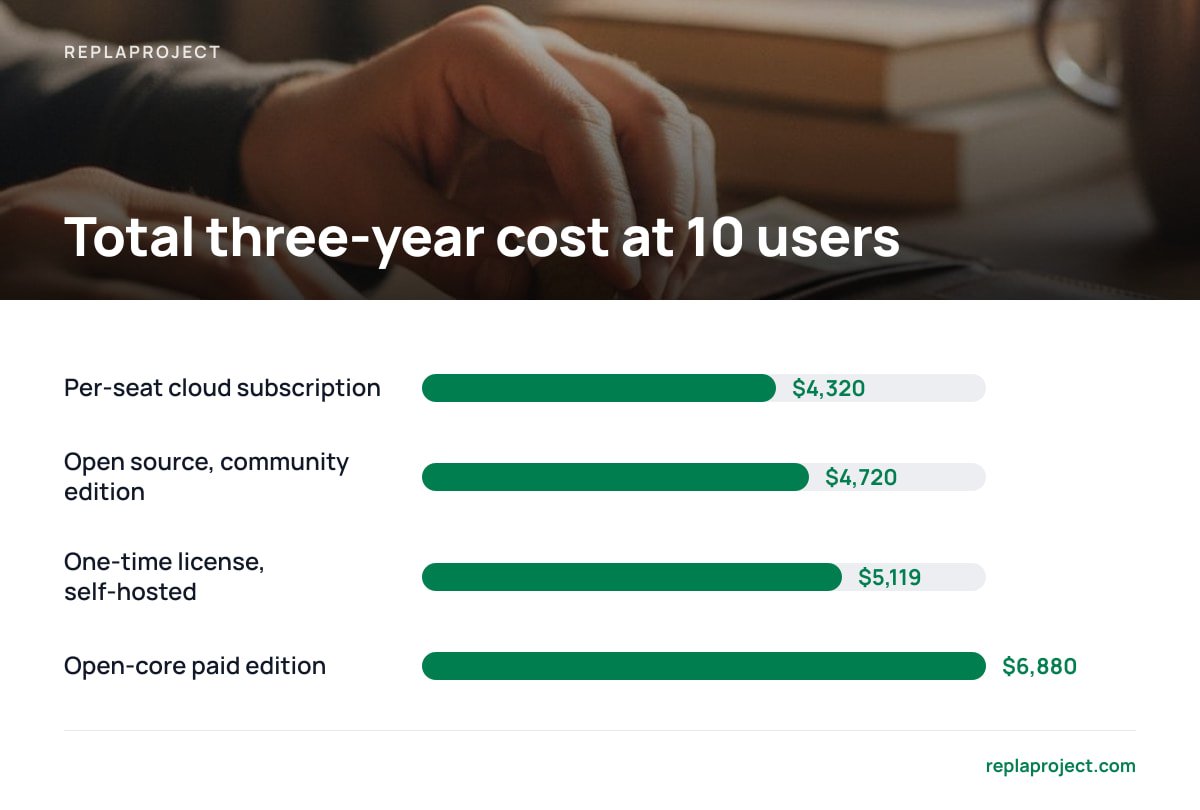
| Per-seat cloud subscription | $4,320 / $10,800 | $0 | ~$0 | $4,320 | $10,800 |
| Open source, community edition | $0 | $720 | $4,000 | $4,720 | $4,720 |
| Open-core paid edition ($6/seat assumed) | $2,160 / $5,400 | $720 | $4,000 | $6,880 | $10,120 |
| One-time license, self-hosted ($399) | $399 | $720 | $4,000 | $5,119 | $5,119 |
The pattern is what matters. Cloud subscriptions scale with headcount, while self-hosted costs stay roughly flat.
On these assumptions, a "free" self-hosted tool only becomes cheaper than a $12-per-seat subscription at about 11 users. Below that, your admin hours cost more than the seats you're replacing.
That crossover moves quickly with your inputs. If you value your evening hours at zero, self-hosting wins from user one. If your crew grows from 10 to 25 because you take on subcontractors, the subscription nearly triples and the self-hosted line doesn't move.
The same math applies to big-name enterprise tools with self-hosted editions. We ran it in what self-hosted data center pricing really costs.
The Four Kinds of Tools You'll Find on GitHub
Search GitHub for self-hosted project management and you'll get hundreds of repositories. They fall into four groups, and knowing which group you're looking at saves you an afternoon.
Full project suites
These include Gantt charts, work packages, time tracking, budgets, wikis, and role-based permissions. They're built for organizations that run formal plans with baselines and milestones. They're powerful and heavy, and they usually need a proper database server and regular upgrades.
We broke down the setup and running costs of the best-known suite in our self-hosted suite cost guide.
Kanban and task apps
These are lighter tools built around lists, boards, due dates, and labels. They're quick to install and quick to learn, but thin on dependencies and cross-project reporting. They suit personal or small-team task tracking more than running jobs across multiple sites.
Our guide to open source task management, self-hosted covers this group.
Low-code builders
These are database-style platforms where you assemble your own project tracker from tables, forms, and views. They're very flexible. The catch is that you're now the product designer, and someone on your team has to maintain the thing you built.
Solo-maintainer projects
These are the "I'm releasing my self-hosted app" posts. Some are genuinely good and refreshingly uncluttered. Check two things before you trust your business to one:
- The commit history. Look for at least monthly activity over the past year.
- The maintainer count. A project run by one person is one burnout away from going unmaintained.
Open-Core Licensing: Read the Edition Table Before You Install
Here is where the obvious answer goes wrong. Many open source project tools are open-core. The community edition is genuinely open source, but a paid "enterprise" or "professional" edition holds back specific features.
The held-back features are usually the ones small businesses ask for after the first month:
- Single sign-on. It's often enterprise-only, which hurts once you pass about 15 accounts.
- Gantt charts and baselines. These are sometimes in the free tier and sometimes not, depending on the tool.
- Time tracking and cost reporting. They're frequently gated, which matters if you bill clients by the hour.
- Support. The community edition gets you a forum, and the paid edition gets you a person.
The paid editions are frequently priced per seat. That brings back the exact cost model you were trying to escape, as the open-core row in the table above shows.
Then there's the license itself. Many projects in this category use the GNU Affero General Public License.
Section 13 of the GNU AGPLv3 is the clause that matters. If you modify the software and let users reach it over a network, you must offer those users your modified source code.
If you install the tool as-is, this rarely affects you. If you plan to customize it and give clients access through a portal, read section 13 before you start.
What Running It Yourself Actually Involves: A Realistic Setup Outline
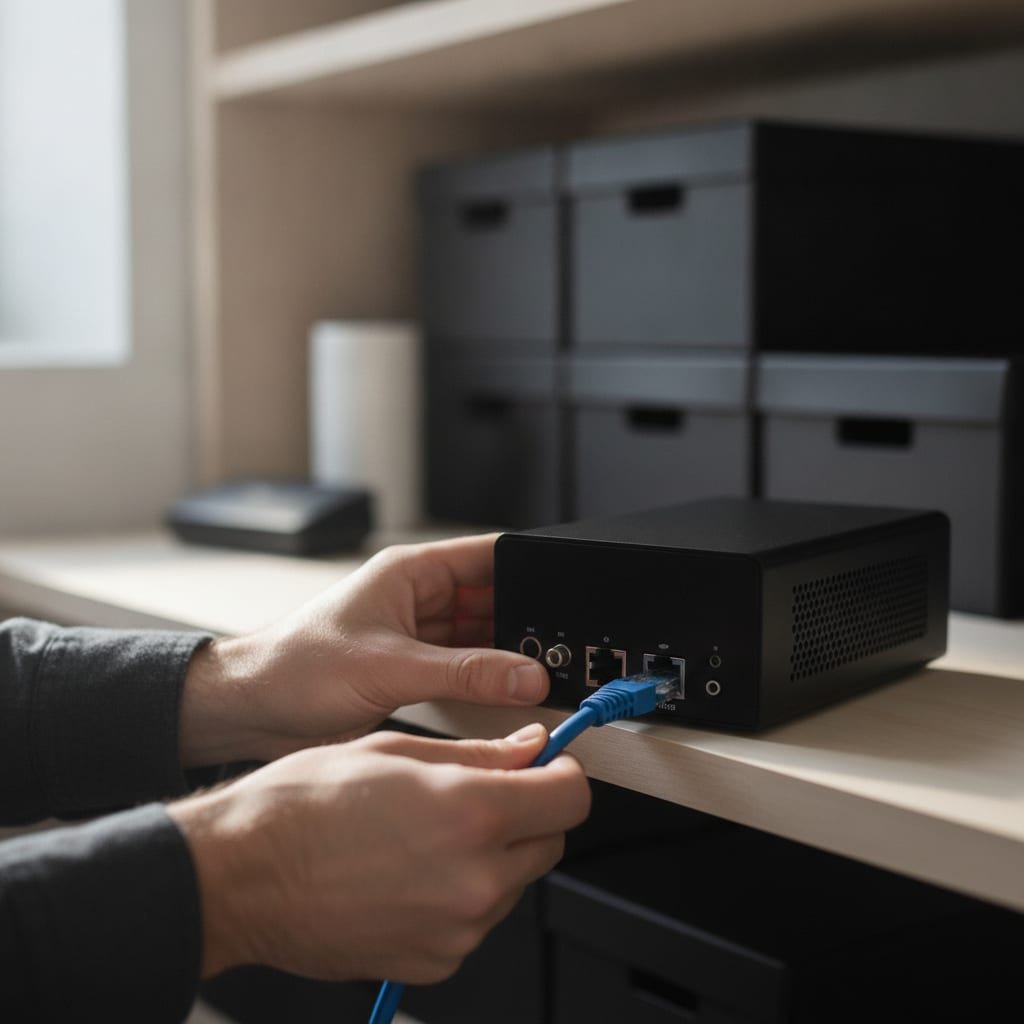
Tutorials make self-hosting look like one command. The command is the easy part. Here is the full list of jobs you're signing up for.
- A server. Rent a small virtual server or use an in-house machine. Most small-team installs run fine on 2 to 4 GB of RAM. Check the project's stated requirements first, because full suites often want more.
- Containers. Most projects ship a Docker Compose file that defines the app, the database, and supporting services in one place. This is the "one command" in the tutorial.
- A domain and a reverse proxy. This puts the app at a proper address instead of a raw IP and port.
- TLS certificates. Your project data shouldn't cross the internet unencrypted. Let's Encrypt issues free certificates, and most reverse proxies can renew them automatically.
- Updates. Watch the release notes and apply security patches promptly. Exposed web apps are a known target, and the OWASP Top Ten lists the common ways they get compromised.
- Backups. The PostgreSQL documentation describes three approaches: SQL dumps, file-system-level backups, and continuous archiving. For a small team, a nightly SQL dump copied off the server is the minimum. Also back up any uploaded attachments, which usually live outside the database.
Pro Tip: Do a full restore onto a fresh server before you move your real jobs into the tool, and time how long it takes. Many teams discover at this point that their backups skipped the attachments folder, or that the database version doesn't match. You want to learn that during a test, not when your server's disk fails and a client is waiting on a quote.
Skip steps 5 and 6 and you haven't saved money. You've postponed a bad week.
Which Option We'd Pick, and Why
Blunt recommendations, by team type:
- Under about 8 people, and nobody enjoys server work. Self-hosting open source probably isn't worth it on cost alone. Do it only if data control is the actual requirement.
- A technical team that wants to customize. A genuinely open source tool with a large contributor base is the right call. You'll use the freedom the license gives you.
- Formal planning, or regulated or PMO-style reporting. Use a full suite and budget for its paid edition if you need SSO or cost reporting. Pretending you won't need them is how open-core pricing catches you.
- Small trades crews and office teams running jobs. Skip the full suite. You need boards, a calendar, and a clear view of what's blocking each job. You don't need earned-value analysis. Pick the simplest tool your site crew will actually open on their phones.
The most common mistake we see is choosing for features you might need someday and then losing the team to complexity. A tool nobody updates is worse than a spreadsheet.
If you're leaving a cloud tool that never offered a self-hosted option, start with why some popular tools can't be self-hosted at all.
Get Flat-Fee, Self-Hosted Project Management Your Crew Will Actually Use

If the cost table convinced you that per-seat pricing is the real problem, ReplaProject is built for that.
It's a one-time purchase at $399, with unlimited people. Adding a subcontractor costs you nothing. It covers what small teams actually need:
- Board, table, and calendar views of every job across every project.
- Email-to-task intake, so a forwarded customer email becomes a job.
- A public intake form for customer requests.
- Automatic dependency detection that shows what's holding each job up.
- An optional AI assistant that suggests jobs, which you approve before anything is added.
The honest caveat: ReplaProject is self-hosted, not open source. You can't fork the code. You still run the server, apply updates, and test your backups, exactly as described above. If you need to modify source code, or need formal Gantt baselines, a full open source suite fits you better. Read our spec sheet against your requirements before you buy, the same way you'd read anyone else's.
Frequently Asked Questions
Is open source project management software really free?
The license is free, but running it isn't. You pay for a server, and you spend hours on setup, updates, and backups. For small teams, that admin time is usually the largest cost and can outweigh a cheap cloud subscription.
What is the difference between open source and self-hosted?
Open source refers to the software's license, which must meet criteria such as access to source code and permission to modify it. Self-hosted refers to running the software on a server you control. A tool can be either one without being the other.
Do I need Docker to self-host a project management tool?
Not strictly, but most projects ship a Docker Compose file, which is the easiest supported way to install them. Running containers also makes upgrades and moving to a new server simpler than a manual install.
What does open-core mean for project management tools?
Open-core means the base edition is open source, but some features are kept in a paid edition. In project management tools, single sign-on, time tracking, cost reporting, and support are commonly held back. Those paid editions are often priced per user.
How should I back up a self-hosted project management tool?
At minimum, take a nightly database dump and copy it off the server, and back up uploaded files and attachments separately. Then restore everything onto a fresh server at least once to confirm the backup actually works.
Does the AGPL license affect my business if I just use the software?
Usually not, if you install and use the software unmodified. Section 13 of the AGPLv3 applies when you modify the software and make it available to users over a network. In that case, you must offer those users your modified source code.
Sources
- The Open Source Definition | Open Source Initiative
- GNU Affero General Public License v3 | Free Software Foundation
- Backup and Restore | PostgreSQL Global Development Group
- Docker Compose overview | Docker
- Let's Encrypt | Internet Security Research Group
- OWASP Top Ten | OWASP Foundation