

To track job dependencies in a project, record for every job the one thing it cannot start or finish without, then keep that link visible wherever the job lives. The distinction that matters is between hard dependencies (physics, law, or a customer's signature) and soft ones (preferences). Track the hard ones religiously, and keep the soft ones in a separate, lighter list.
TL;DR:
- A dependency is just "this job can't move until that one does." Write down the waiting-on, not a diagram.
- Finish-to-start covers about 90% of small-team work. Learn the other three types, then mostly ignore them.
- Separate hard dependencies (inspection, delivery, approval) from soft ones (we'd prefer to). Only hard ones block.
- Every blocker needs a named owner and a chase date, especially when the blocker is outside your company.
- Spreadsheets and sticky notes work until about a dozen live jobs. After that, use a tool that surfaces blockers automatically.
Table of Contents
- Start With the One Question That Matters: What Is This Job Waiting On?
- The Four Dependency Types, and the One You Actually Need
- Hard Dependencies vs. Soft Ones: Which to Write Down
- How to Track Job Dependencies in a Project: The Five-Step Method
- Where Spreadsheets and Sticky Notes Break
- Read the Chain, Find the Job That Slips Everything
- Mistakes That Make Dependency Tracking Collapse
- Get Blocked Jobs Flagged Automatically, Without Paying Per Seat
- Frequently Asked Questions
- Sources
Start With the One Question That Matters: What Is This Job Waiting On?
Forget Gantt charts for a minute. Dependency tracking is one question asked of every job: what is this waiting on? If the answer is "nothing," the job is ready and someone should be doing it. If the answer is "the tile delivery" or "Dana's sign-off" or "the permit," you have a dependency, and it needs to be written where the whole team can see it.
Most small-business delays aren't caused by a bad plan. They happen because the waiting-on lived in one person's head. The electrician knew the rough-in couldn't happen before framing was inspected. The office manager didn't. Nobody was lying; the information just never left the building's one brain.
The US Government Accountability Office's Schedule Assessment Guide (GAO-16-89G) lists "sequencing all activities" as one of its ten best practices for sound schedules. That guide is written for billion-dollar federal programs, but the logic scales down fine. If you can't say what each job follows, you don't have a schedule. You have a wish list with dates on it.
The Four Dependency Types, and the One You Actually Need

Formal project management has a vocabulary for this. PMI, the Project Management Institute, describes four logical relationships between tasks. Here they are in trades-and-office terms:
| Type | Plain meaning | Real-world example | How often a small team needs it |
|---|---|---|---|
| Finish-to-start | B can't start until A finishes | Can't paint until drywall is finished | Constantly |
| Start-to-start | B can't start until A has started | Site cleanup begins once demolition begins | Occasionally |
| Finish-to-finish | B can't finish until A finishes | Final punch list can't close until final inspection closes | Rarely |
| Start-to-finish | B can't finish until A starts | Old system stays on until the new one starts | Almost never |
Four dependency types exist in the standard vocabulary. A small team needs exactly one of them: finish-to-start.
I'd pick finish-to-start and stop there. Every extra relationship type is another thing your crew has to understand and your tool has to display. If a job truly needs a start-to-start link, you can usually split it into two jobs and use finish-to-start anyway.
Hard Dependencies vs. Soft Ones: Which to Write Down
Not every "should go first" deserves a tracked link. PMI's guidance separates mandatory dependencies (hard logic) from discretionary ones (soft logic), and it also flags external dependencies that sit outside the team's control. That split is the most useful part of the whole framework.
Hard dependencies
Physical sequence. You can't hang cabinets before the walls exist. These never move.
Legal or regulatory gates. Inspections, permits, licensing sign-offs. Miss one and the next job may be illegal, not just late.
Customer approvals. If the client has to pick the countertop before you can order it, that is a hard block, even though it feels like paperwork.
Soft dependencies
Preferred order. You'd rather do the downstairs first because the crew lives nearby. Fine, but nothing breaks if you swap.
Resource convenience. "Mike's on site Tuesday, so do it Tuesday." That's scheduling, not dependency.
Track hard dependencies as formal links. Keep soft ones as notes. If you link everything, everything looks blocked, and the real blockers disappear into the noise.
How to Track Job Dependencies in a Project: The Five-Step Method
This works on paper, in a spreadsheet, or in software. The method is the same.
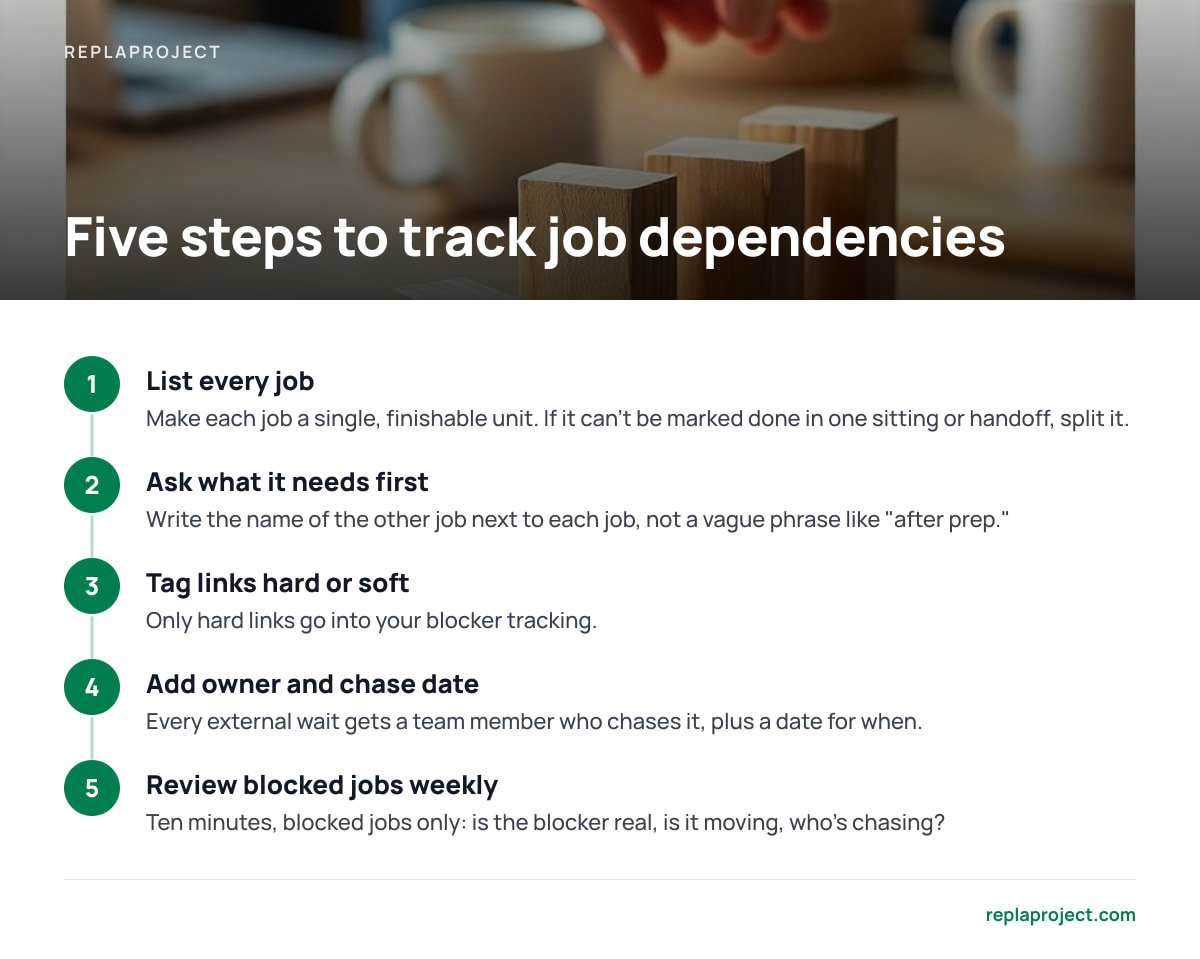
- List every job as a single, finishable unit. "Kitchen" is a project. "Install backsplash" is a job. If it can't be marked done in one sitting or one handoff, split it.
- For each job, ask "what does this need first?" Write the answer next to the job. Use the name of the other job, not a vague phrase like "after prep."
- Tag each link hard or soft. Only hard links go into your blocker tracking.
- Add an owner and a chase date to every external wait. If the blocker is a supplier, an inspector, or a customer, someone on your team owns chasing it, and a date says when.
- Review blocked jobs, only blocked jobs, once a week. Ten minutes. For each one: is the blocker still real, is it moving, who's chasing?
Pro Tip: Give external blockers their own "chase date," separate from the job's due date. A job due Friday that's waiting on a supplier quote should have a chase date of Tuesday, because Tuesday is when you still have time to switch suppliers. Teams that only track due dates find out about a stalled blocker on the day it was supposed to be resolved.
Where Spreadsheets and Sticky Notes Break

Paper and spreadsheets are a perfectly good place to start. Honestly, if you have six live jobs, don't buy anything. A column called "Waiting on" does 80% of the work.
The trouble begins around a dozen concurrent jobs, for three reasons:
- Links go stale silently. When job A finishes, nothing tells job B's owner. Someone has to remember to update the sheet, and that someone is always busy.
- Nobody sees the chain. A spreadsheet shows rows. It doesn't show that one late delivery is holding up four downstream jobs.
- Intake gets messy. Work arrives by email, text, and phone. If those requests don't land in the same place as your tracked jobs, dependencies get created in places your list never sees.
That last one is the quiet killer. If a customer emails "can't do Thursday, the landlord hasn't approved," that sentence is a dependency. If it stays in an inbox, it isn't tracked.
Read the Chain, Find the Job That Slips Everything
Once links exist, you can read them. Look for the longest unbroken chain of finish-to-start jobs between now and your deadline. That's the critical path, and organizations like PMI and the Association for Project Management both teach it as a core scheduling concept. Any delay on that chain moves your end date. Delays elsewhere may not.
You don't need software math to use this. Two checks are enough:
Count downstream jobs. For each blocked job, count how many jobs sit behind it. A blocker with five jobs behind it gets chased first, even if it's less urgent-sounding than a blocker with one.
Look for single points of failure. If one person, one supplier, or one approval gates three separate streams of work, that's where your schedule is thinnest.
The GAO guide also advises checking the schedule for reasonable "float," meaning slack time. Jobs with lots of float can slide a few days without consequence. Jobs with zero float can't. Knowing which is which tells you where to spend your attention.
Mistakes That Make Dependency Tracking Collapse
Linking everything. If every job depends on every other job, you've built a knot, not a plan. Hard links only.
Vague blockers. "Waiting on materials" isn't trackable. "Waiting on 40 sheets of drywall from the yard, ordered Monday, promised Thursday" is.
No owner. A blocker without a named person is a blocker nobody chases. Name someone.
Updating only at the weekly meeting. Links that update once a week are wrong six days out of seven. Close the loop when a job finishes, not when the meeting happens.
Paying per person to see the chain. This one is a pricing trap, not a process one. If your tool charges per seat, you'll be tempted to leave subcontractors and part-timers off it, and they are exactly the people whose jobs get blocked. We break down how flat-fee and per-seat pricing compare by team size if you want the numbers, and if you're hunting for a project management app with no subscription, that guide covers what actually works.
Get Blocked Jobs Flagged Automatically, Without Paying Per Seat

ReplaProject is built around the problem this article described. Jobs live on one board, table, or calendar view across every project. Emailed requests turn into jobs when you forward them, a public intake form catches customer requests, and the software works out what's holding a job up and shows you. You don't have to hand-maintain the chain, and you don't have to leave anyone off it to control cost.
It's a one-time $399, self-hosted, with unlimited people. If you've been weighing the math, our write-up on buying project management software outright covers the break-even. The honest caveats: self-hosted means you're responsible for running it and backing it up, and it only knows the dependencies that exist as jobs. A permit that lives only in someone's head still has to be entered. Check the spec sheet against your setup before you buy.
Frequently Asked Questions
What is the simplest way to track job dependencies?
Add a "waiting on" field to every job and fill it in with the name of the specific job, delivery, or approval it needs first. Review only the blocked jobs once a week. For fewer than about ten live jobs, a spreadsheet column is enough.
What are the four types of task dependencies?
The standard relationships are finish-to-start, start-to-start, finish-to-finish, and start-to-finish. Finish-to-start, where one job must finish before the next begins, accounts for the vast majority of real small-business work.
What is the difference between a hard and a soft dependency?
A hard dependency is a real constraint, such as physical order, a legal inspection, or a required customer approval. A soft dependency is a preference about sequence that you could change without breaking anything. Only hard dependencies should be tracked as blockers.
How do you track dependencies on things outside your team?
Treat each external wait as its own tracked item with a named owner on your side and a chase date earlier than the job's due date. This gives you time to follow up or switch suppliers before the delay hits your schedule.
When should a small team move from a spreadsheet to project management software?
When links go stale because nobody updates them, or when you can no longer see how one late item affects the jobs behind it. That usually happens around a dozen concurrent jobs, or sooner if work arrives by email from several people.
Sources
- Schedule Assessment Guide: Best Practices for Project Schedules (GAO-16-89G) | U.S. Government Accountability Office
- PMBOK Guide and project management standards | Project Management Institute
- Association for Project Management | Association for Project Management